Order Management

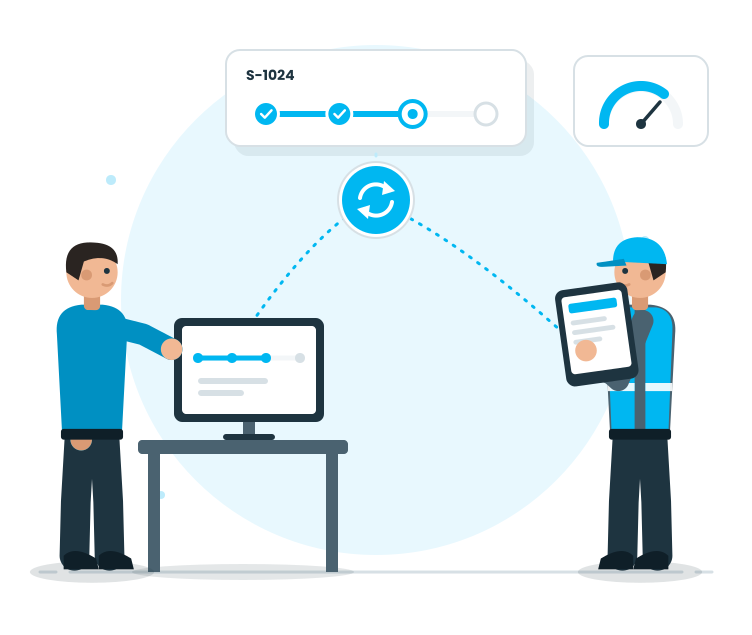
Converts orders into operation plans, manages the workflow on-site, and standardizes the preparation process. This module reduces the time and effort spent on order preparation. The Shipment Management module consolidates orders on a single screen, converts orders into the workflow, and makes it easier to answer questions like 'Where is the order?', 'What step is waiting?', and 'Which task is urgent?'. This module is not just for listing; it is a real operation management. Orders are planned, divided into steps, and tracked with a list of tasks awaiting them. Packaging and ITS collection steps are carried out in a single flow; teams work in a standardized process together. Orders can be quickly identified in a dense warehouse environment; delays are reduced.


The module is not just for listing; it is a real operation management. Orders are planned, divided into steps, and tracked with a list of tasks awaiting them. Packaging and ITS collection steps are carried out in a single flow; teams work in a standardized process together. Orders can be quickly identified in a dense warehouse environment; delays are reduced.
The module is not just for listing; it is a real operation management. Orders are planned, divided into steps, and tracked with a list of tasks awaiting them. Packaging and ITS collection steps are carried out in a single flow; teams work in a standardized process together. Orders can be quickly identified in a dense warehouse environment; delays are reduced.
Request a Demo

Order Management
Order Management
Order Management enables users to view orders in WMS, convert them into operational plans, manage preparation steps—including pallet preparation and unloading, ITS picking, packing and labeling—as a unified workflow, progress through pending task lists, and complete orders with full traceability.
Order Display
Operation Planning
This stage is the 'ready' location of the order on-site. Preparation steps are tracked with a list of tasks awaiting them; teams work together in a standardized process.
Completion and Notifications
Tracking and Traceability
Order Display

Order Display

This stage is the 'worklist' of the warehouse area. Orders are visible on a single screen; the team knows which orders are waiting and which are in progress.

Features

  •  Order List Visibility
  •  Quick Access to Order Details
  •  Filtering and Searching (by date, customer, order type, etc.)
  •  Order Priority (waiting, in progress, completed)
  •  Order-Based Line Item Viewing
  •  Operational-focused screen for the warehouse team

Order List Visibility
Warehouse team can see the tasks to be done at a glance; the plan becomes clear.

Quick Access to Order Details
Quickly check the status of the order and where it is in the process.

Filtering and Searching (by date, customer, order type, etc.)
Orders can be quickly identified in a dense warehouse environment; delays are reduced.
Order Priority (waiting, in progress, completed)
It is clear which order is waiting, which is in progress, and which is completed.

Order-Based Line Item Viewing
The order's product line can be viewed at a glance; errors during preparation are reduced.

Operational-focused screen for the warehouse team
Operators do not get lost in too much information; they focus on the task at hand.

Operation Planning

Operation Planning

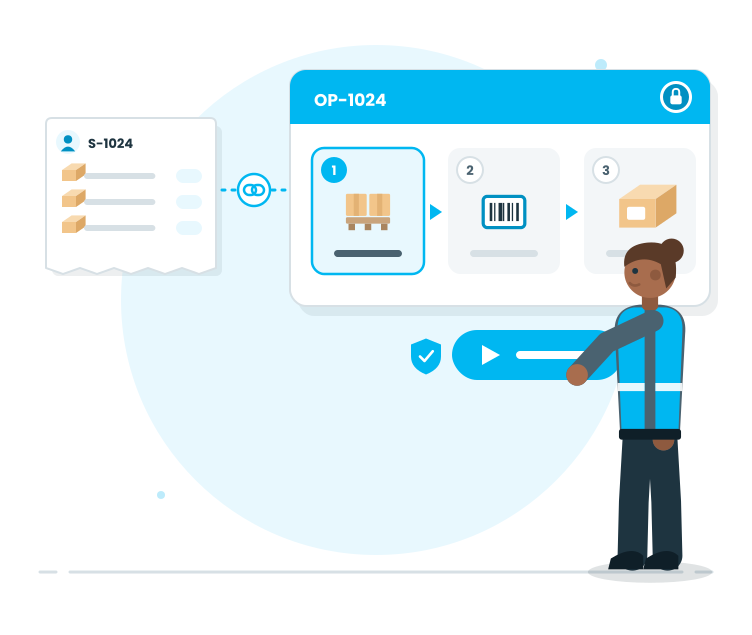
This is the stage where we take an order from 'list' to 'operation'. Necessary steps for the order are planned; the workflow on-site is standardized by the system.

Features

  •  Order Conversion to Operation
  •  Order–operation number system
  •  Step definition (preparation → consolidation → packaging/labeling)
  •  Operation Start Control
  •  Maintaining discipline in the operation after it starts
  •  Transferring the operation steps to the site; the order is received as a 'ready-to-pack' package.

Order Conversion to Operation
The relationship between orders and operations is clarified; tracking and reporting become easier.

Order–operation number system
The sequence of tasks does not get mixed up; the team knows when to perform each step.

Step definition (preparation → consolidation → packaging/labeling)
The operation does not start randomly without control mechanisms; discipline is maintained.

Operation Start Control
Changes after the process starts do not cause confusion; changes are minimized.

Maintaining discipline in the operation after it starts
Operators can see the workflow clearly; the learning period is shortened.

Transferring the operation steps to the site; the order is received as a 'ready-to-pack' package.
Managing the Preparation Workflow

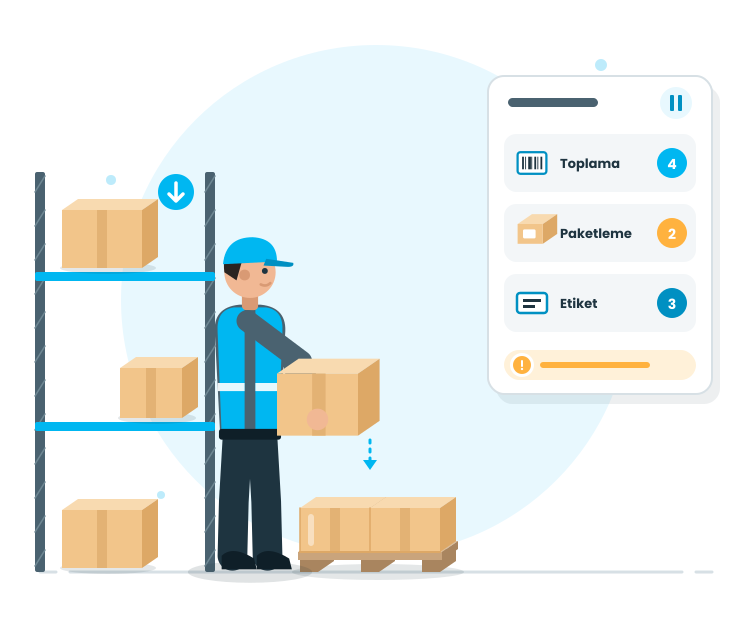
This stage is the 'ready' location of the order on-site. Preparation steps are tracked with a list of tasks awaiting them; teams work together in a standardized process.

This stage is the 'ready' location of the order on-site. Preparation steps are tracked with a list of tasks awaiting them; teams work together in a standardized process.

Managing the pallet preparation/palletizing process in the business

Features

  •  Managing the product removal step
  •  Standardizing the transition to the order pick-up step
  •  Order and operation relationship is clarified; tracking and reporting become easier.
  •  Visibility of the workload on the waiting screens to partition the tasks
  •  The option to pause the operation and continue
  •  Reduction of errors through real-time warnings
  •  Maintaining operational discipline to achieve reliability

Managing the product removal step
Logistics preparation of the order is clear; shipping standards are strengthened

Standardizing the transition to the order pick-up step
Physical preparation of the order proceeds under control; site organization is maintained

Order and operation relationship is clarified; tracking and reporting become easier.
The picking process starts in the right sequence; confusion is reduced

Visibility of the workload on the waiting screens to partition the tasks
Visibility of which steps are waiting for in processes such as picking/packaging/barcoding

The option to pause the operation and continue
Registration remains even if the process is interrupted in a crowded area; continuation is possible from where you are

Reduction of errors through real-time warnings
Errors and missing steps are caught without causing risks

The option to pause the operation and continue
Personnel-dependent applications are reduced; warehouse standards are raised

Completion and Notifications

Completion and Notifications

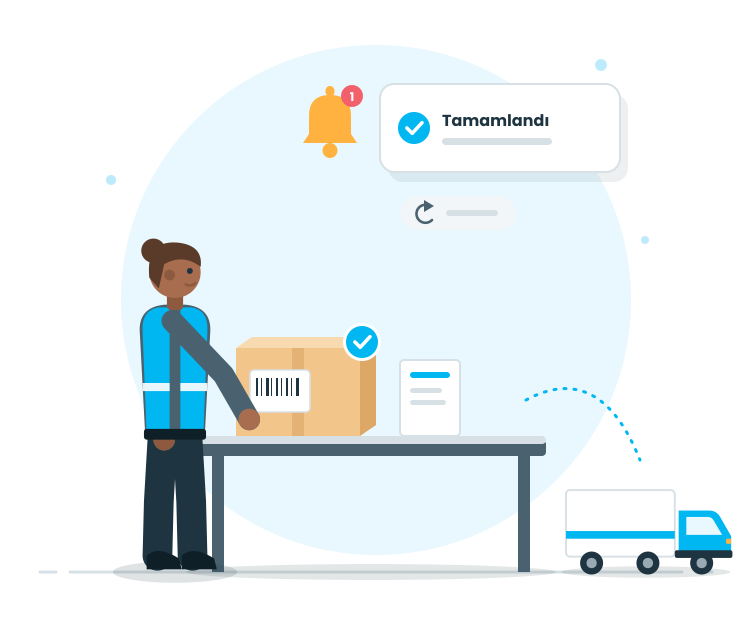
The order is finalized when all preparation steps are completed. Completed orders are closed operationally and the required system flows start.

Features

  • Finalizing an order as ‘completed’
  • Final orders appear clearly in lists
  • Ready for operation the output of the operation
  • Managing scenarios such as cancellation/reversal with control
  • Consistent closure of processes to maintain closure discipline
  • Quick transition to the shipping stage

Finalizing an order as ‘completed’
The process closes cleanly when work is done; the uncertainty of ‘is it done?’ disappears

Final orders appear clearly in lists
The workload decreases as tasks are completed; workers can see which tasks are closed

Ready for operation the output of the operation
Outputs such as packages/barcodes are ready on site; the shipping step speeds up

Managing scenarios such as cancellation/reversal with control
Processes do not randomly break down with changes; they are managed in a controlled manner

Consistent closure of processes to maintain closure discipline
Each order is closed with the same standard; operational quality improves

Quick transition to the shipping stage
The order is handed over to the shipping stage as ‘ready and validated’

Tracking and Traceability

Tracking and Traceability

Order management is the heart of daily operations. Therefore, the ability to query, track, and visibility should be strong. This stage supports both site management and managerial visibility.

Features

  •  Status-based monitoring (waiting/ongoing/completed)
  •  Order inspection and quick finding
  •  Visibility of progress based on the operation step
  •  Performance tracking of waiting tasks on the waiting screen
  •  Reporting and providing data for KPIs
  •  Operational transparency through the transaction history
  •  Site and office see the same data

Status-based monitoring (waiting/ongoing/completed)
Tasks awaiting are clear; workload management becomes easier

Order inspection and quick finding
Orders are quickly found even in a crowded area; time loss is reduced

Visibility of progress based on the operation step
The order can be seen at which step it is; intervention is quick

Performance tracking of waiting tasks on the waiting screen
Picking/packaging/barcoding loads are visible; planning is strengthened

Reporting and providing data for KPIs
Order performance can be measured; improvement areas are revealed

Operational transparency through the transaction history
Operational progress can be traced; inspection and internal control become easier

Site and office see the same data
There is only one reality of the operation; communication gaps are reduced.