Material Receipt Management

Records incoming materials in a controlled manner, standardizes processes, and strengthens traceability.

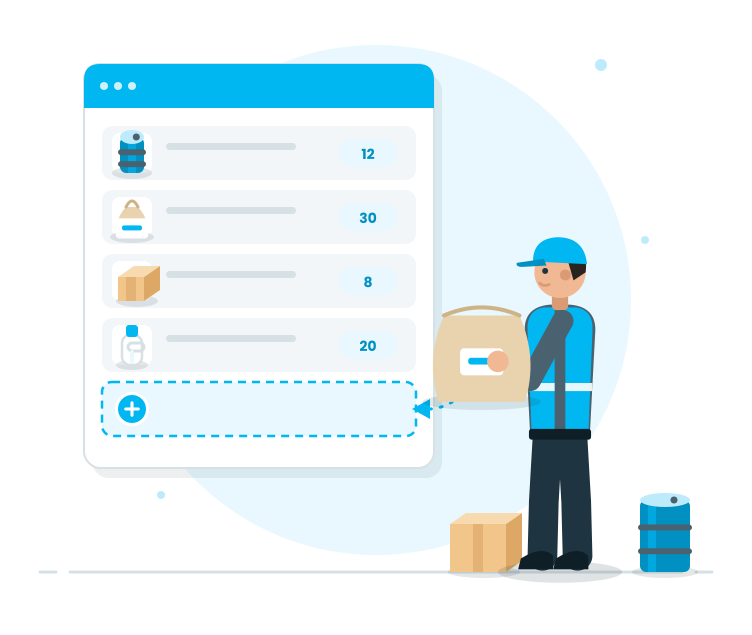
Each incoming material forms the foundation for all subsequent operations. The Material Receipt Management module; streamlines incoming transactions by managing receipt processes in a single, standardized flow, thereby reducing errors such as 'incorrect material entry', 'lost receipts', and 'incorrect documents'. This ensures that issues like 'incorrect material entry' are caught early on the warehouse floor.

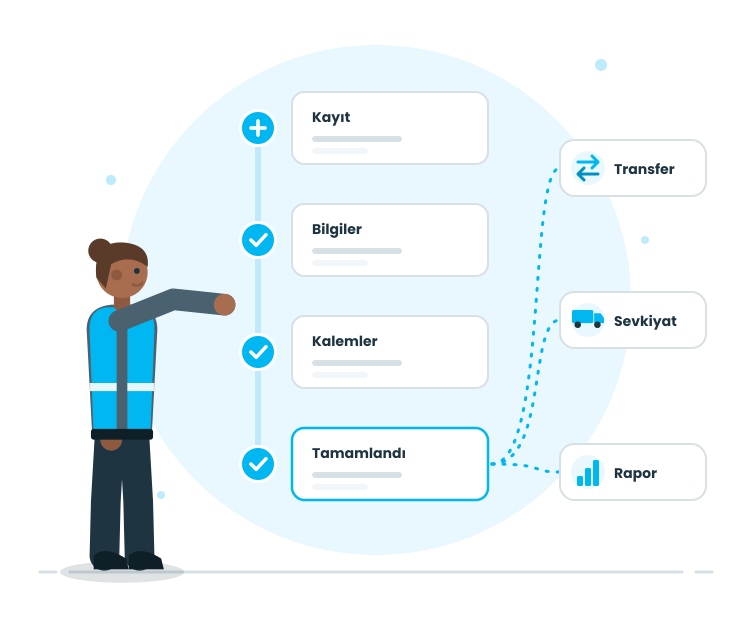
The module is designed to align with the natural flow of operations: creating records, completing required fields, adding barcodes, performing checks, and concluding the process. This standardizes material receipt processes; maintains order within the warehouse, and ensures smoother subsequent operations (transfers, dispatch, reporting).


Request a Demo

Material Receipt Management
Material Receipt Management is an operational module for creating receipt records for materials entering the warehouse, completing the required information, adding receipt line items, managing records as editable drafts, and completing the process with full traceability.
Material Receipt Creation
Required Fields
Barcode Management
Checks and Completion
Tracking and Traceability
Material Receipt Creation

Initiate the Receipt Operation

At this stage, the sales warehouse initiates the receipt process for incoming shipments. Visible are the ‘pallets to be received’ in the system; selecting the relevant order opens the operation and moves to barcode scanning.

Features

  •  Listing of Pallets to be Received
  •  Opening the Receipt Operation by selecting an order to be received
  •  Quick access to the receipt screen
  •  Initiating the operation under control

Listing of Pallets to be Received
Visible records of completed shipments to the sales warehouse; the team can clearly select which shipment to receive.

Opening the Receipt Operation by selecting an order to be received
Opening the receipt operation by selecting an order; the process progresses in a single flow and becomes ready for pallet validation.

Quick access to the receipt screen
The receipt screen is simple and operation-focused; the field team can quickly enter the process.

Initiating the operation under control
Before initiating the receipt, the order, target warehouse, and pallet are clearly defined; reducing the risk of confusion.

Required Fields

Visibility of Orders and Pallets

The crucial point of the receipt process is the visibility of expected pallets in the shipment. Here, order details are entered; pallet lists open, and the scope of the to-be-scanned pallets becomes clear.

Features

  •  Displaying pallets by expanding order rows
  •  Displaying the target warehouse information
  •  Highlighting the list of pallets to be scanned
  •  Highlighting the distinction between scanned and to-be-scanned pallets for clearer operation visibility

Displaying pallets by expanding order rows
Pallets are visible within the order rows; the team can instantly answer the question of which pallets belong to the order.

Displaying the target warehouse information
Target warehouse information visible on the receipt screen; the team is directed towards the relocation step after receipt.

Highlighting the list of pallets to be scanned
Palet validation visible; the control point is established from the beginning.

Highlighting the distinction between scanned and to-be-scanned pallets for clearer operation visibility
As the receipt progresses, the scanned pallets separate; the team can see at a glance which stage the operation is at.

Barcode Management

Pallet Verification/Scanning

This stage is where the receipt takes place on-site. The pallets are scanned for validation; an alert is issued if a wrong pallet is scanned, preventing incomplete receipt.

Features

  •  Barcode/label scanning for pallet validation
  •  Instant alert for incorrect pallets
  •  Preventing incomplete receipt by missing pallets
  •  Not being able to continue from the last location

Barcode/label scanning for pallet validation
Physical shipping is aligned with the system record by pallet scanning; issues like ‘pallets listed but not on-site’ are controlled.

Instant alert for incorrect pallets
Alerting the user if a pallet belonging to an order is scanned; preventing mixed shipments.

Preventing incomplete receipt by missing pallets
Receipt cannot be closed if the scanned pallets are not completed; maintaining receipt integrity.

Not being able to continue from the last location
If the operation halts, the record does not disappear; the user can continue from the same order.

Checks and Completion

Completion and Relocation

Completion of the process occurs after acceptance validation. At this stage, the acceptance transitions to a 'completed' status, and the movement of pallets towards the target warehouse is controlled and integrated into the flow.

Features

  •  Mark acceptance as 'completed'.
  •  Initiate the movement of pallets towards the target warehouse.
  •  Post-acceptance organization and standardization.
  •  Results are displayed on-site.

Mark acceptance as 'completed'.
The acceptance is closed once all pallets have been validated; the process concludes cleanly.

Initiate the movement of pallets towards the target warehouse.
Pallets move towards the target warehouse in accordance with the warehouse internal organization; traceability is maintained.

Post-acceptance organization and standardization.
Due to the acceptance process being completed in a single form, subsequent operations proceed more smoothly and without issues.

Results are displayed on-site.
The delivery process closes; the team can clearly see what tasks have been completed on the list.

Tracking and Traceability

Tracking and Traceability

Acceptance operations are part of the daily routine on-site; therefore, tracking and querying should be easy. This stage ensures that acceptance processes are regularly monitored and can be quickly identified when necessary.

Features

  •  Track acceptance operations via a list.
  •  Visual feedback based on status (pending, in progress, completed).
  •  Quick control via order details.
  •  Maintain operational discipline through discipline.

Track acceptance operations via a list.
Acceptance operations are tracked in a single list; even during shift changes, the 'actual situation' remains visible.

Visual feedback based on status (pending, in progress, completed).
The status of each acceptance is clear: which one is pending, which one is in progress, and which one is completed.

Quick control via order details.
Quickly perform pallet-based control via order details when necessary.

Maintain operational discipline through discipline.
Regular tracking ensures that acceptance processes adhere to standards; deviations are detected earlier.